Single Sign-On
Members of your organization sign in to the Ipregistry dashboard through your identity provider, over SAML 2.0 or OpenID Connect. Single sign-on is part of the Enterprise plan and is set up by the owner of the organization. Here are setup guides for the most popular identity providers:
Any other SAML 2.0 or OpenID Connect provider works the same way, with the steps below.
How it works
People with an address on a linked domain sign in through your identity provider.
Set it up
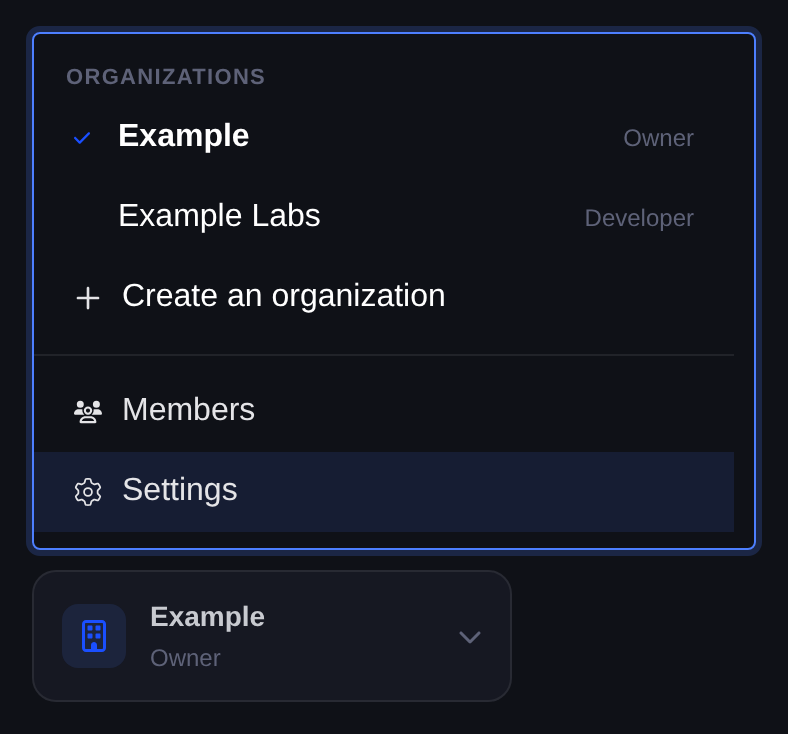
- Add a connection In the dashboard, click your organization at the bottom left and choose Settings in the menu that opens. Click Manage SSO, then Add a connection, and pick SAML or OpenID Connect.
- Create the application at your identity provider Use the values the connection gives, then enter what your identity provider gives in return.
- Test it, then switch it on Only you sign in during the test.
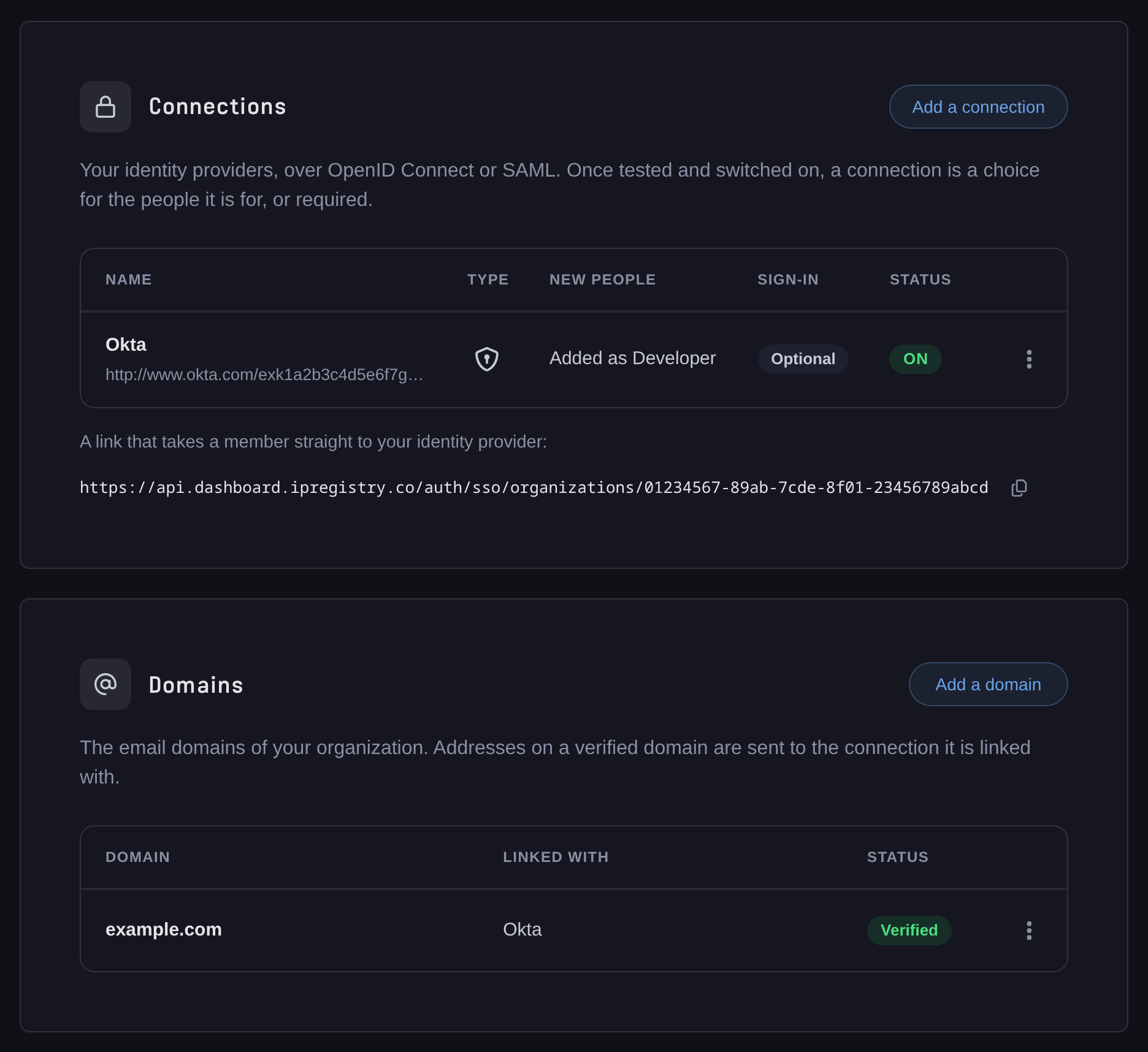
- Add and verify a domain Enter the domain of your work addresses and add its TXT record to your DNS.
- Link the domain to the connection People on that domain now sign in through your identity provider.
The DNS record
One TXT record proves the domain is yours. The dashboard gives its name and its value.
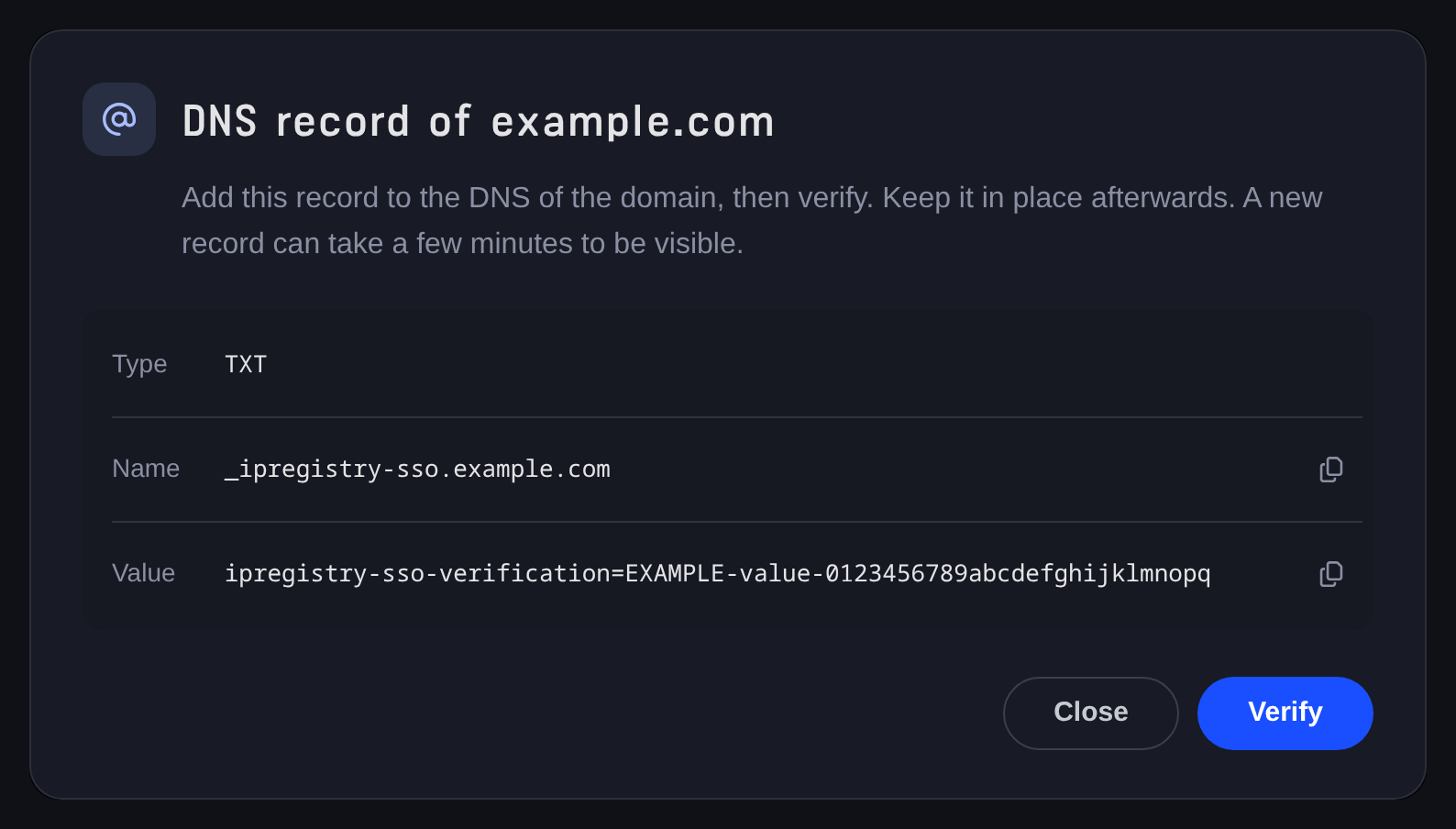
- If your DNS provider appends the name of the zone, enter
_ipregistry-ssoalone. - Keep the record in place: it is checked every day.
- Public mail domains such as
gmail.comand public suffixes such asco.ukare refused.
Optional or required
Each connection has a setting, Require this connection.
People choose between your identity provider and their usual way to sign in.
People on a linked domain can only sign in through your identity provider.
Requiring a connection needs two-step login on your own account, so that you always keep a way in.
Common questions
Who can sign in through a connection?
Members and invited people whose address is on a linked domain. With Add new people as members checked, anyone your identity provider signs in on such a domain becomes a member, while the plan has seats.
What happens when someone leaves the company?
Remove them at your identity provider. With a required connection they lose access within 24 hours. With an optional one, also remove them on the page Members.
What if the organization leaves the Enterprise plan?
Its connections are switched off and its domains are no longer verified, so members sign in with their own methods. Nothing is deleted.
Can people start from the identity provider?
Yes. Over SAML, the application in the portal of your identity provider signs them in. Over OpenID Connect, give the application the link shown on the card Connections.
Does it change how the API is called?
No. Calls to the API keep using API keys.
How many domains and connections can an organization have?
10 domains and 5 connections. Write to [email protected] if you need more.
Technical reference
What a SAML 2.0 identity provider must send
- The request is sent with the HTTP-Redirect binding and is not signed. The answer is posted to the Single sign-on URL (ACS URL).
- The answer, or its assertion, is signed with SHA-256 or stronger. SHA-1 and MD5 are refused.
- The assertion is not encrypted.
- The name ID is the email address of the person. Otherwise the address is read from an attribute named
email,mail,emailaddress,email_addressoruser.email, or from the claimhttp://schemas.xmlsoap.org/ws/2005/05/identity/claims/emailaddress. - Optional, for the name of new members:
displaynameorname, or the pairfirstnameandlastname(givennameandsurnamework too). - The Metadata URL starts with
https://and is reachable from the internet. - The Audience URI (Entity ID) is also the address of the metadata Ipregistry publishes for the connection.
- The people who administer the organization are emailed a month, a week and a day before the signing certificate of a connection that is on expires. Read the metadata again or paste the new certificate, then test and switch on again.
What an OpenID Connect identity provider must send
- An application of the type "web application": authorization code flow, with a client secret. Ipregistry sends PKCE with every request.
- The scopes
openid,emailandprofile. - The Issuer is exactly the one published at
/.well-known/openid-configuration, with nothing after it. - The ID token is signed with an RSA or elliptic curve key (RS256, PS256, ES256 and their 384 and 512 variants).
- The address comes from the
emailclaim, or frompreferred_usernamewhen it is an address. A person whoseemail_verifiedis false is refused.
When the test fails
| What you see | What to check |
|---|---|
| You are not assigned to the application, or not allowed to use it. | Assign the application to yourself at your identity provider, then test again. |
| The answer is not signed with the certificate saved here. | Read the metadata again, or paste the current signing certificate. |
| Your identity provider signs with SHA-1. | Set the signature algorithm of the application to SHA-256. |
| The answer was not made for this connection, or it is too old. | The single sign-on URL and the audience URI given to your identity provider, and its clock. |
| Your identity provider did not say who signed in. | Set the name ID of the application to the email address of the person. |
| The issuer could not be read. | The issuer is the address your identity provider gives, with nothing after it. |
| The client ID or the client secret is refused. | Copy both again. A secret that expired has to be replaced. |
| The test went through, with an address on no domain linked with the connection. | Verify the domain of that address and link it with the connection. |
A change to the issuer, the sign-in URL, the certificate, the client ID or the client secret of a connection needs a new test, then switching on again.
If you have questions or need help, write to [email protected].